Client quote coming soon
Client nameChannel or business
Real quotes from clients go here. No made-up praise, ever.
Client quote coming soon
Client nameChannel or business
Client quote coming soon
Client nameChannel or business
Client quote coming soon
Client nameChannel or business
Find the line that sounds like you. Each one comes with what we change.
“I don't know what to say.”
What we doWe turn your rough ideas into a short outline before you hit record. You know your first line and your last.
“My videos look flat.”
What we doZooms, b-roll, graphics and color give people something new to look at every few seconds.
“People leave in the first 5 seconds.”
What we doWe open on your strongest line and show the payoff first. The warm-up goes.
“Editing takes me days.”
What we doSend the raw files, get back a finished cut. Your days go back to making the next one.
“I hate how I look and sound on camera.”
What we doClean audio, flattering color and tight cuts. Plus honest camera notes, so every take feels easier.
“I post and nothing happens.”
What we doWe look at what's not landing (hook, title, length) and fix it in the next video, not someday.
“My last editor ghosted me.”
What we doYou get a delivery date before you send anything, and you always know where your video is.
“Revisions never end.”
What we doEvery change comes with a reason, and we agree on the number of revisions up front.
“I can't keep posting consistently.”
What we doOne recording becomes a long video and a set of shorts, so your calendar fills from one session.
“I don't have time to film.”
What we doFilm in one sitting with our outline in hand. We cut it into several videos.
“My captions look cheap.”
What we doCaptions styled for your brand and timed to your voice, word by word.
“I never know what title or thumbnail to use.”
What we doIn Royal Suite we write titles and design thumbnails with you, then check which ones worked.
“I have one long video and no shorts from it.”
What we doWe find the best moments and cut them into vertical shorts with captions.
“I'm not a video person.”
What we doYou don't have to be. You talk about what you know. We make it worth watching.
“My videos don't bring in clients.”
What we doEvery video ends with one clear next step, so viewers know how to work with you.
“I sound like I'm reading a script.”
What we doWe help you write the way you talk, then cut the stiff parts out in the edit.
“My videos look like everyone else's.”
What we doA look that's yours: caption style, graphics and color picked for your channel.
“I don't have a team to run all this.”
What we doRoyal Suite runs the rest: scripts, edits, thumbnails, uploads and the numbers.
Most videos don't fail in one big way. One small problem leads to the next. Here's how it usually goes.
The fix: Your first line is planned with you before you film.
The fix: Your strongest line goes first, so the payoff shows up early.
The fix: Something new on screen every few seconds: a zoom, b-roll, a graphic.
The fix: Your retention graph, read with you, down to the second people leave.
The fix: Send the raw files. Get a finished cut back on a set date.
The fix: One recording becomes a long video plus shorts, so you keep showing up.
Fix how your video starts, and every link after it gets easier.
Find your weak linkThe fix: Your ideas become a short outline before you hit record.
The fix: Your script is written the way you talk. The stiff parts get cut.
The fix: Your best line goes first, with captions for people watching on mute.
The fix: Every video ends with one clear next step: how to work with you.
The fix: Film once. Get several videos back for the week.
The fix: Royal Suite runs the rest: scripts, edits, thumbnails and uploads.
Get clear on what to say, and every link after it gets easier.
Find your weak linkReal edits from real channels. Sound stays off until you turn it on.
 Thumbnail. Clip coming soon.
Your raw recording has the ideas. The edit gives people a reason to stay for them. Drag to compare.
Preview. Real raw/edit pair coming.
Your first line earns the next minute. No warm-up.
Words follow your voice, so people watch with the sound off.
Numbers, names and steps pop on screen right when you say them.
Dead air gone. A new visual every time attention starts to slip.
Pick a style. Watch it run on a real talking head.
Plus our MOGRT library of animated titles and callouts.
Add a photo, type a line you'd say, then dress it up. Your photo stays on your device.
Your photo stays on your device. Nothing is uploaded.
Tip: wrap a word in *stars* to make it the big one.
Drag a graphic onto your frame, or tap to add it.
Like it? We'll put your look on one of your own clips.
Book a free callLike it? Imagine it on your real video.
On the call we put your look on one of your own clips and show you what we'd change.
Your retention graph tells you where people leave. Pick the shape that looks like yours.
Illustrative curves. On the call we open your real retention graph together.
People click, then leave before you get to the point. Your opening doesn't promise enough, fast enough.
We cut the warm-up, open on your strongest line, and show the payoff in the first seconds.
The habits behind every edit we make. Use them on your next video, with or without us.
Viewers decide fast if a video is for them. Say the payoff before the setup, then earn the rest.
A zoom, a b-roll shot or a graphic resets attention right before it drifts.
Skimmers jump straight to the part they need, and each title keeps the next payoff in view.
Tease what's coming (“in a minute I'll show you…”) so there's a reason to keep watching.
Put b-roll, screen shots and graphics on the nouns, so people see what you're talking about.
The last seconds decide what viewers do next. Give them one clear action, not “thanks for watching.”
In a feed, the first frame and first words decide the swipe. Start mid-sentence, on the point.
App buttons and the description cover the edges. Keep your face and key text in the middle.
That's where eyes already are, and it stays clear of the buttons and the bottom text.
Shorts have no room for breaths and “um”s. Tight cuts keep the pace up from start to end.
When the last line flows back into the first, a rewatch feels natural.
Even at 30 seconds, a quick cutaway on the noun keeps the eye moving.
Five studio playbooks, used with you on your own videos while we work together. Tap a cover to peek inside.
Guided RoomRoyal Suite get all five.Edit Room gets The Hook Vault.
Opening lines that stop the scroll, sorted by niche. Pick one, make it yours, hit record.
Every room
A month of video ideas: formats that work in your industry, matched to the topics you know best.
Guided RoomRoyal Suite
Send your talking points. We shape them into a script that flows, so you say it once and say it well.
Guided RoomRoyal Suite
Honest feedback on your delivery, energy and framing. Every take gets a little easier.
Guided RoomRoyal Suite
We read your retention graph with you and point at the exact second to fix in the next video.
Guided RoomRoyal Suite
Start with the edit. Move up when you want more of your time back.
You record. We edit.
Custom quote after a 15‑min call
Price depends on how much animation and VFX your video needs.Your quote depends on how much animation and VFX your video needs. Shorts include captions and b-roll.
Book a callThe edit, plus a coach.
Custom — let's talk
Custom quote after a 15‑min call
You talk. We run the rest.
Custom — let's talk
Custom quote after a 15‑min call
Prices are starting points. We agree on the final quote on the call, before any work starts.
Every room is quoted on a free 15-minute call, before any work starts. No surprises after.
No long onboarding. No guessing what happens next.
15 minutes. We look at one of your videos together. You leave with 3 fixes.
Drop your raw files in a shared folder. Phone, webcam or camera. All fine.
Leave notes on the cut. Every change comes with a reason. Then hit upload.
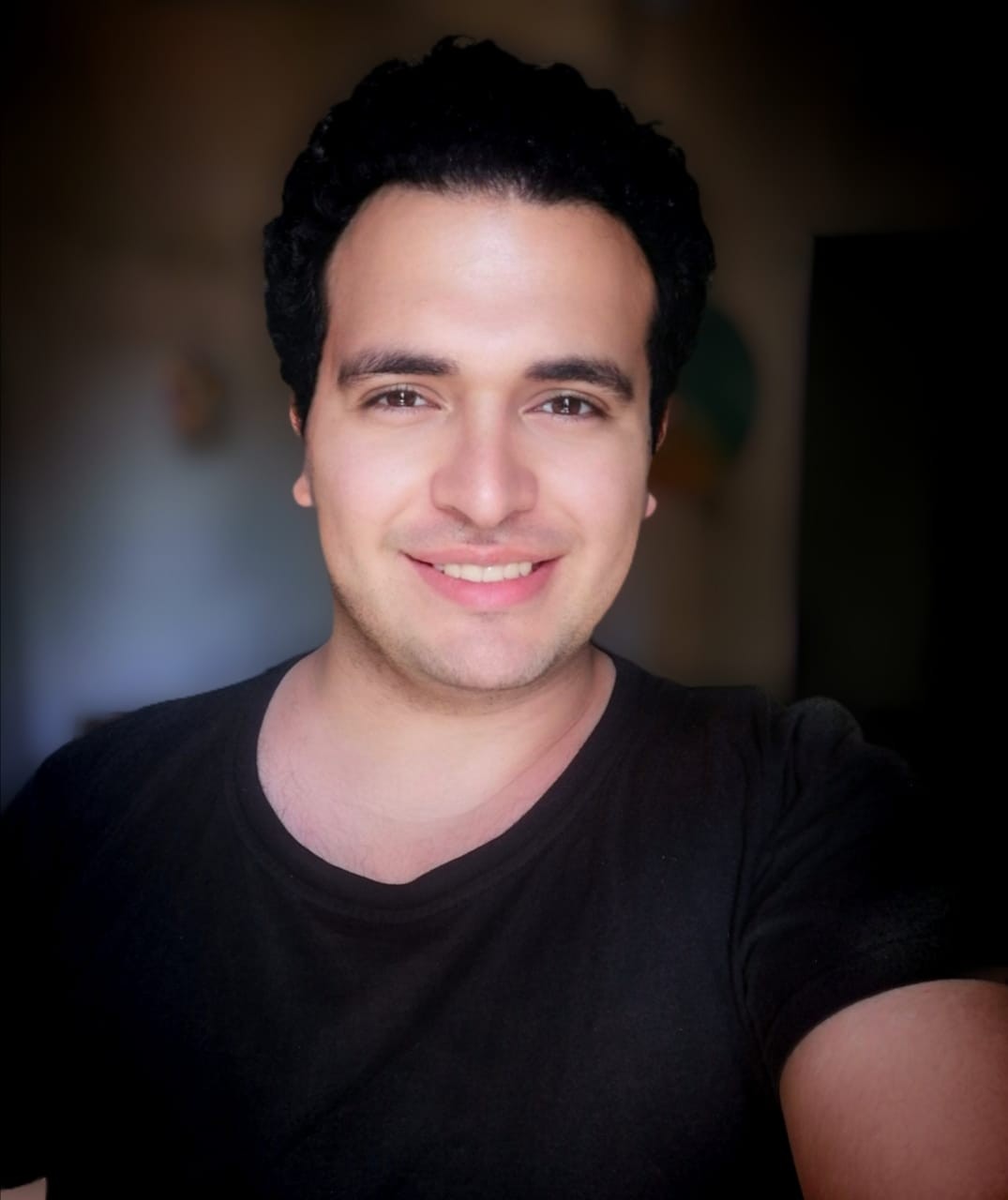
CEO of The Nobel Rooms, and I still edit.
For 7+ years I've cut talking-head YouTube videos and shorts, mostly AI, coding and finance channels.
I'll tell you why every cut is there. If it doesn't help you keep viewers, it doesn't stay.
Nobel (Mostafa Nabil)
Book a call with meTake the free scorecard: 15 questions · 3 minutes. See where your hook, retention and packaging stand.
Something else? Ask it on the call.
It depends on length and how much animation your video needs. We agree on a delivery date on the call, before you send anything.
Revisions are part of every room. We agree on the number on the call, so there are no surprises and no endless back-and-forth.
Your raw recording, any screen recordings, and links or notes for what you mention. A rough idea of your message is enough.
Premiere Pro and After Effects. You get a final export ready to upload. Need project files too? Tell us on the call.
Edit Room: $500–1,000 for a 10-minute long-form video, $300 for an intro-only edit, $100–150 per short. Guided Room and Royal Suite are custom. Let's talk.
It depends on the room, the length and how much animation your video needs. You get a custom quote after a free 15-minute call, before any work starts.
Yes. Guided Room gets script-writing support. In Royal Suite we research topics and write scripts with you.
Both. One long recording can also become several shorts, so you post more without filming more.
Book a free 15-minute call. Bring one of your videos. We'll show you what we'd change.
Start with the free scorecard: see where your videos lose people and what to fix first. Rather talk? Book 15 minutes and leave with 3 fixes.
Get your free scorecard or book a call